
How NightLyfe users opt in to text messages
This page documents the SMS opt-in flow for the NightLyfe iOS app (NightLyfe, New York, NY). It is publicly accessible and requires no login.
Where a phone number is collected
NightLyfe collects a mobile number in two places, both inside the app, and in both cases the user types their own number:
No message of any kind is sent until the user taps the button. Consent is never a condition of purchase, and NightLyfe sends no marketing text messages.
Consent language shown on the Sign Up screen
Displayed directly beneath the Sign Up button, verbatim:
Consent language on the Customer Support form
A checkbox, unchecked by default, that must be ticked before the request can be sent, verbatim:
What we send
Message frequency varies. Message and data rates may apply. Reply STOP to opt out at any time, or HELP for help. Support: nightlyfe.help@gmail.com
No mobile information will be shared with third parties or affiliates for marketing or promotional purposes.
Screenshot of the Sign Up opt-in screen
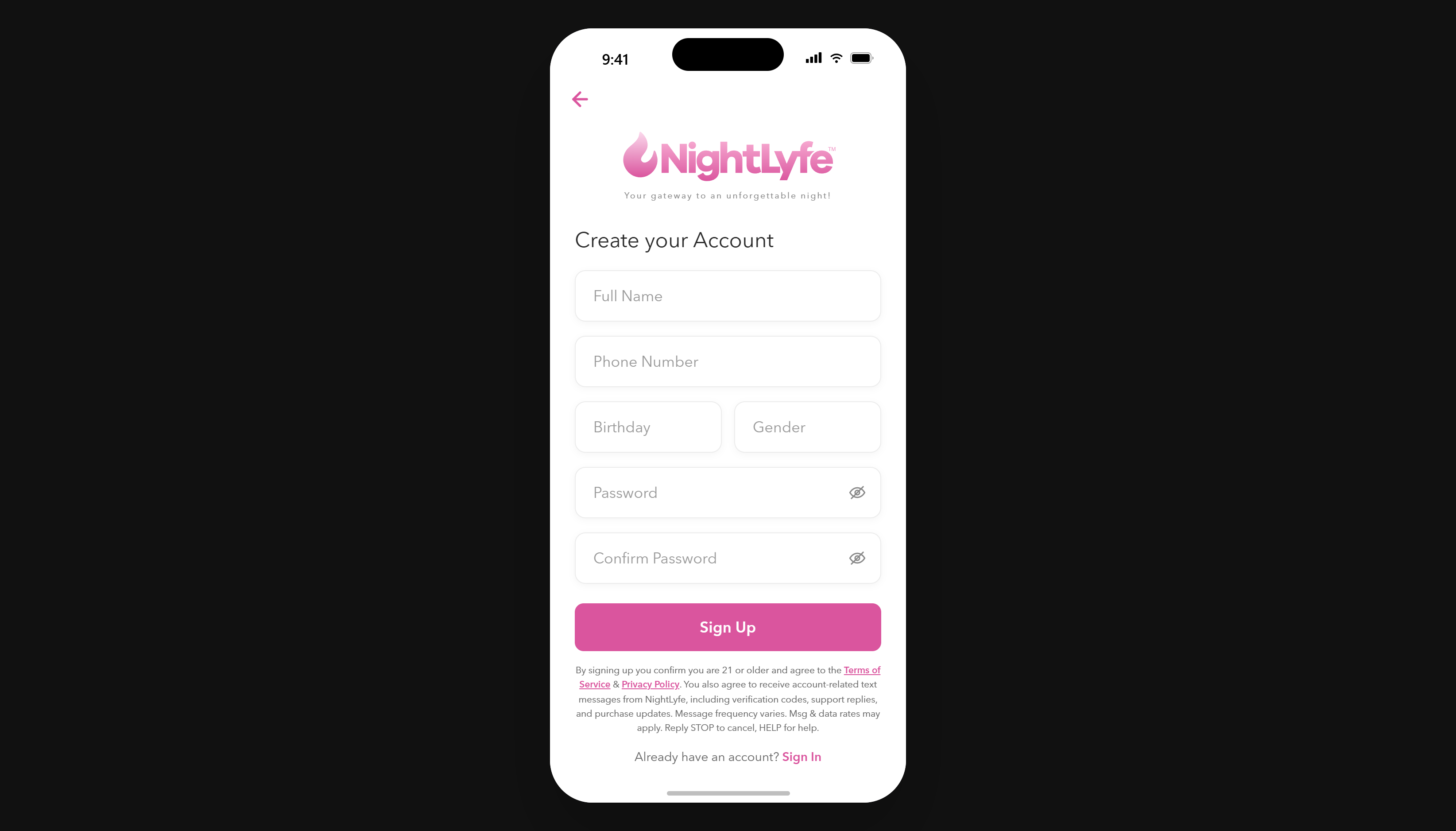
NightLyfe iOS app — Sign Up screen. The consent notice quoted above appears directly beneath the Sign Up button.
Screenshot of the Customer Support opt-in screen
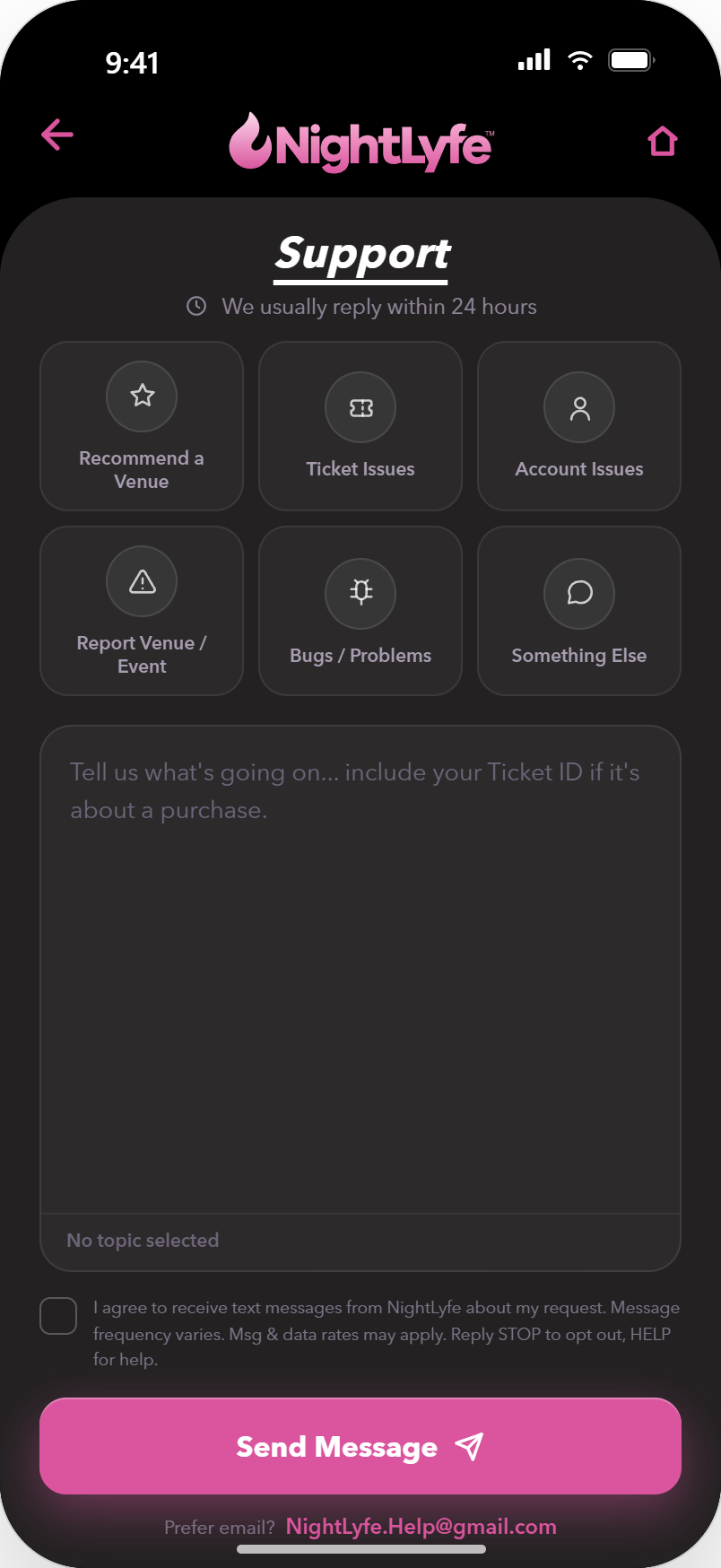
NightLyfe iOS app — Customer Support screen. The consent checkbox sits above the Send Message button and is unchecked by default; the request cannot be sent until the user ticks it, so consent is always an affirmative action.